The events node
This node lets you track events from the Events module, which is useful for integrating with external services.
Events node settings
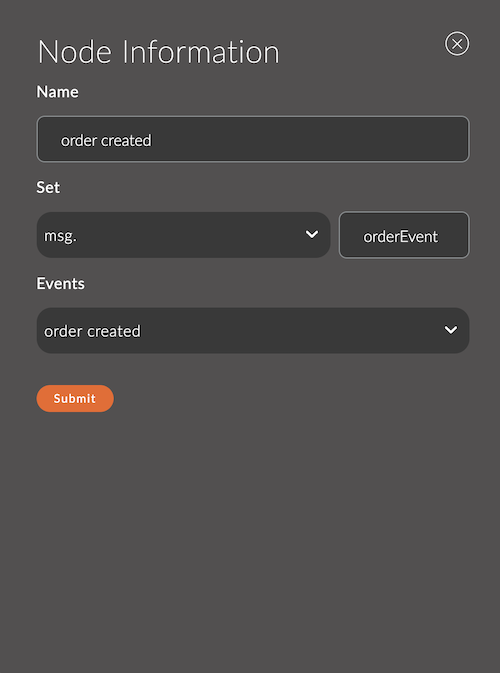
1. Name
The name of the node.
The name appears in the workspace and helps you identify the node.
If you leave it empty, the node is named events.
For example:
- Node name:
Order Created
2. Set
The name of the parameter that the selected event is written to.
The node adds the event to the msg object under this name.
For example:
- Set:
orderEvent
3. Events
A dropdown list of the events defined in the Events module.
Select the event for the node to use.
For example:
- Event:
Order Created
Node example
Example 1: Generating an order event
Node settings:
- Name:
Order Event - Set:
orderEvent - Events:
Order Created
Result:
When the node runs, it adds the selected event to the message:
Output message:
{
  "orderEvent": {
    "order": {
      "id": 19,
      "createdDate": "2024-12-04T13:16:15.144Z",
      "statusIdentifier": "order_created_status",
      "formIdentifier": "order_form",
      "formData": [
        {
          "marker": "name_attr",
          "value": "Alex",
          "type": "string"
        }
      ],
      "attributeSetIdentifier": "order_attrs",
      "totalSum": "2.00",
      "currency": "usd",
      "paymentAccountIdentifier": "paypal",
      "paymentAccountLocalizeInfos": {
        "en_US": {
          "title": "PayPal"
        }
      },
      "products": [
        {
          "id": 1,
          "title": "T-Short",
          "sku": null,
          "previewImage": null,
          "price": 1,
          "quantity": 2
        }
      ],
      "isCompleted": false
    }
  }
}